
Operational clarity.
Matrix speed.
$12
/month
Monitor resources, catch incidents fast, and keep your team in sync. When health flips from healthy to unhealthy, Alshival can notify the right people over SMS or email and help with the next move.

Health Alerts
Auto-notify your team when a resource shifts from healthy to unhealthy.
AI Teammate Memory
Ask Alshival for details like server IPs, linked repos, and related resources.
Social by Design
Profiles, markdown posts, and team collaboration built into the platform.
devtools.quickstart
import alshival

alshival.log.error(
    "cloud logger: disk 92%",
    extra={"disk_pct": 92, "resource": "Ponyo"},
)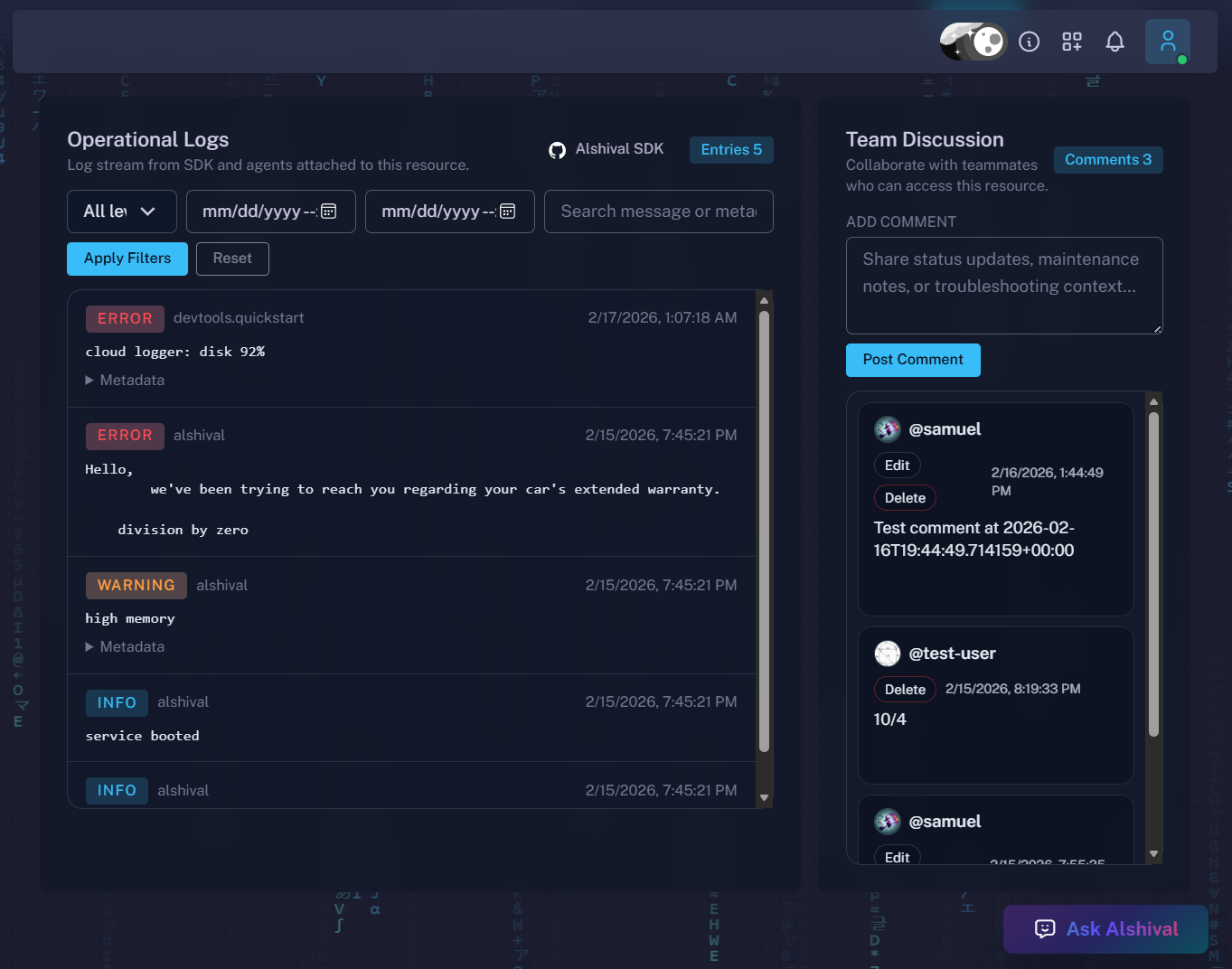 Cloud Logs
Alshival handles the messy middle.
From alerting to context to collaboration, DevTools keeps your team moving when production gets weird.
Healthy to unhealthy detection
Live watchResource checks run continuously. If a resource regresses, Alshival can trigger SMS or email so your team knows immediately.
Knows your infra details
Alshival is part of the dev team, not just a chat box. Ask about IP addresses, resource ownership, and GitHub project ties.
- Resource IP and static IP lookup
- Repo and service relationship context
- Faster incident handoff notes
Bring in The Data Team
Need humans in the loop? Escalate directly and get support from The Data Team with full context already attached.
Contact The Data TeamLogging endpoint (SDK or curl)
Post logs to a resource timeline:
POST /u/<username>/resources/<resource_uuid>/logs/
curl.ingest
curl -X POST \\
  -H "Content-Type: application/json" \\
  -H "X-API-Key: $ALSHIVAL_API_KEY" \\
  -d '{"logs":[{"level":"warning","message":"disk 92%","ts":"2026-02-16T00:00:00+00:00","extra":{"disk_pct":92}}]}' \\
  "https://alshival.dev/u/$ALSHIVAL_USERNAME/resources/$ALSHIVAL_RESOURCE_ID/logs/"
DevTools is a social platform too.
Every developer gets a profile. Share quick posts or longer markdown blogs, collaborate in context, and keep product + ops knowledge visible to the team.