
Public
DevTools, In Depth: Build, Monitor, Share, and Respond Faster With Alshival
A practical deep dive into DevTools: resource monitoring, Python SDK logging, team sharing, and what is coming next with Alshival.
# DevTools, In Depth
DevTools is how our team at Alshival keeps engineering work moving when systems get noisy. We monitor critical resources, centralize logs, and route alerts to the channels where teams already work. When incidents happen, Alshival helps us search logs, summarize what changed, and respond faster.
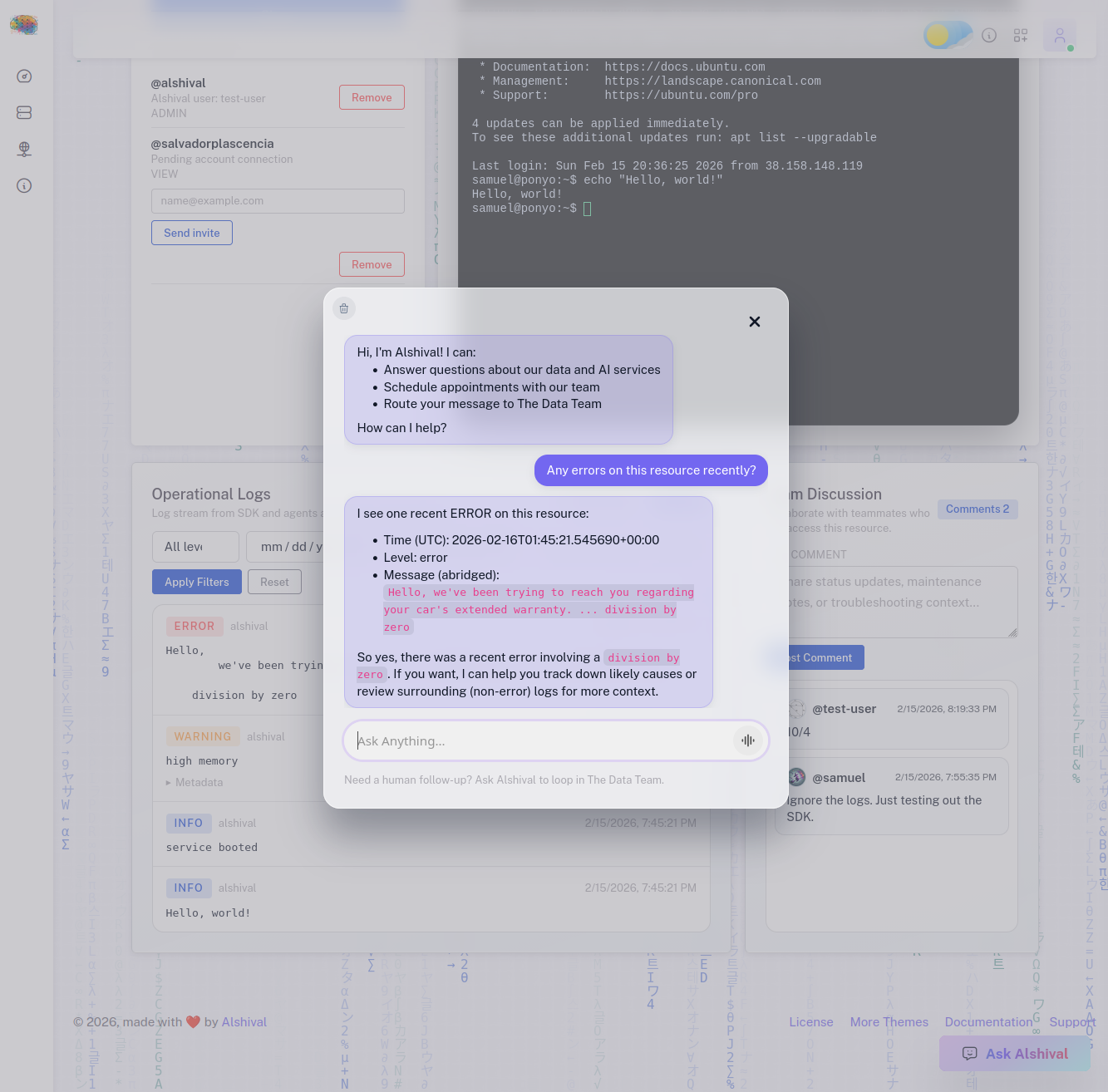
You can work with Alshival through the web app, SMS, and team channels like Discord and Slack. The goal is simple: reduce context switching and make operational response faster.
## Everything Starts With a Resource
In DevTools, everything revolves around a **resource**. A resource can represent:
- A virtual machine or host
- A service endpoint
- A database
- An API dependency
- Any runtime target your team needs visibility into
Each resource has its own health status, configuration, activity history, and sharing controls. You can share resources with teammates using role-based access so collaboration stays fast without losing control over sensitive actions.
## Resource Workspace
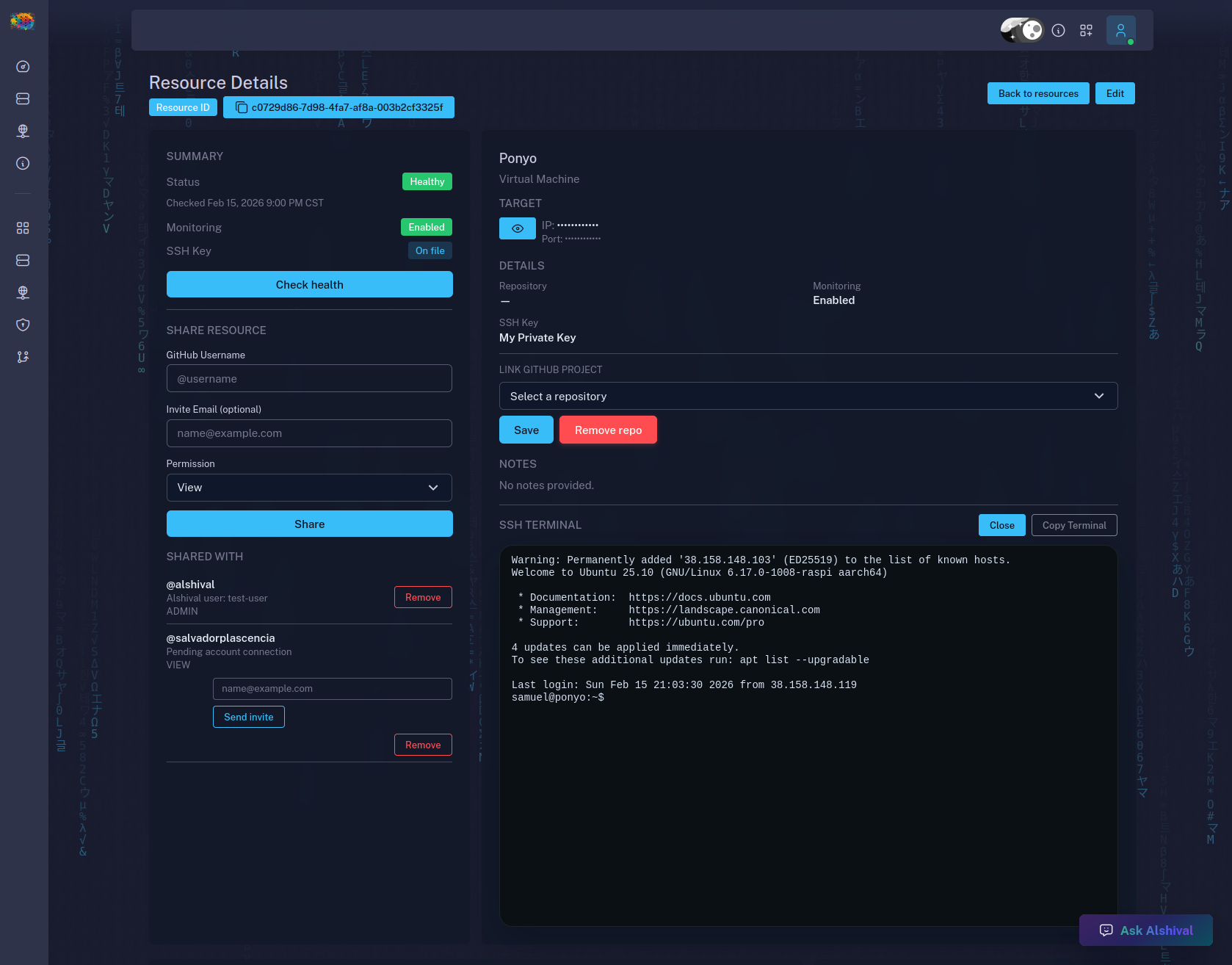
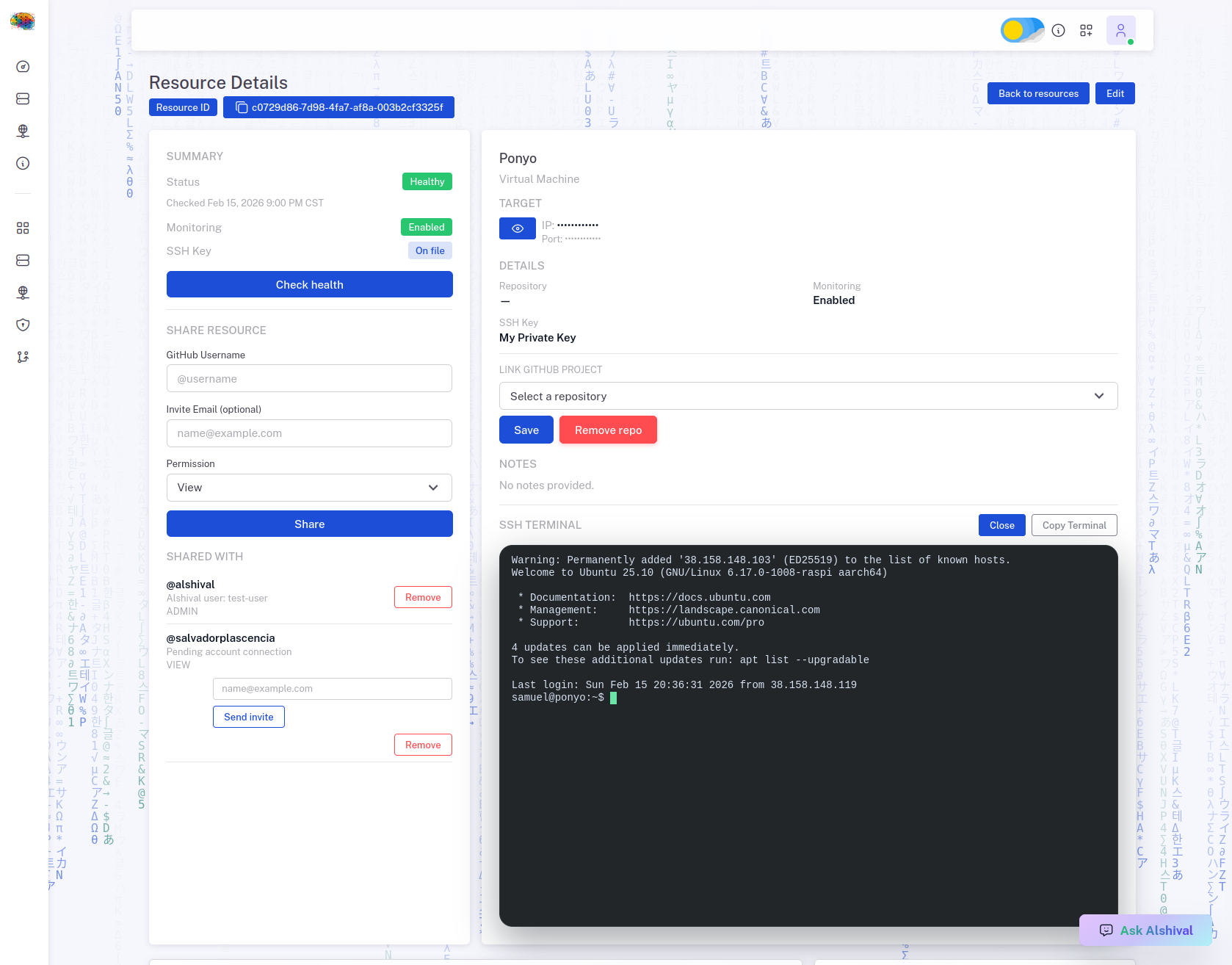
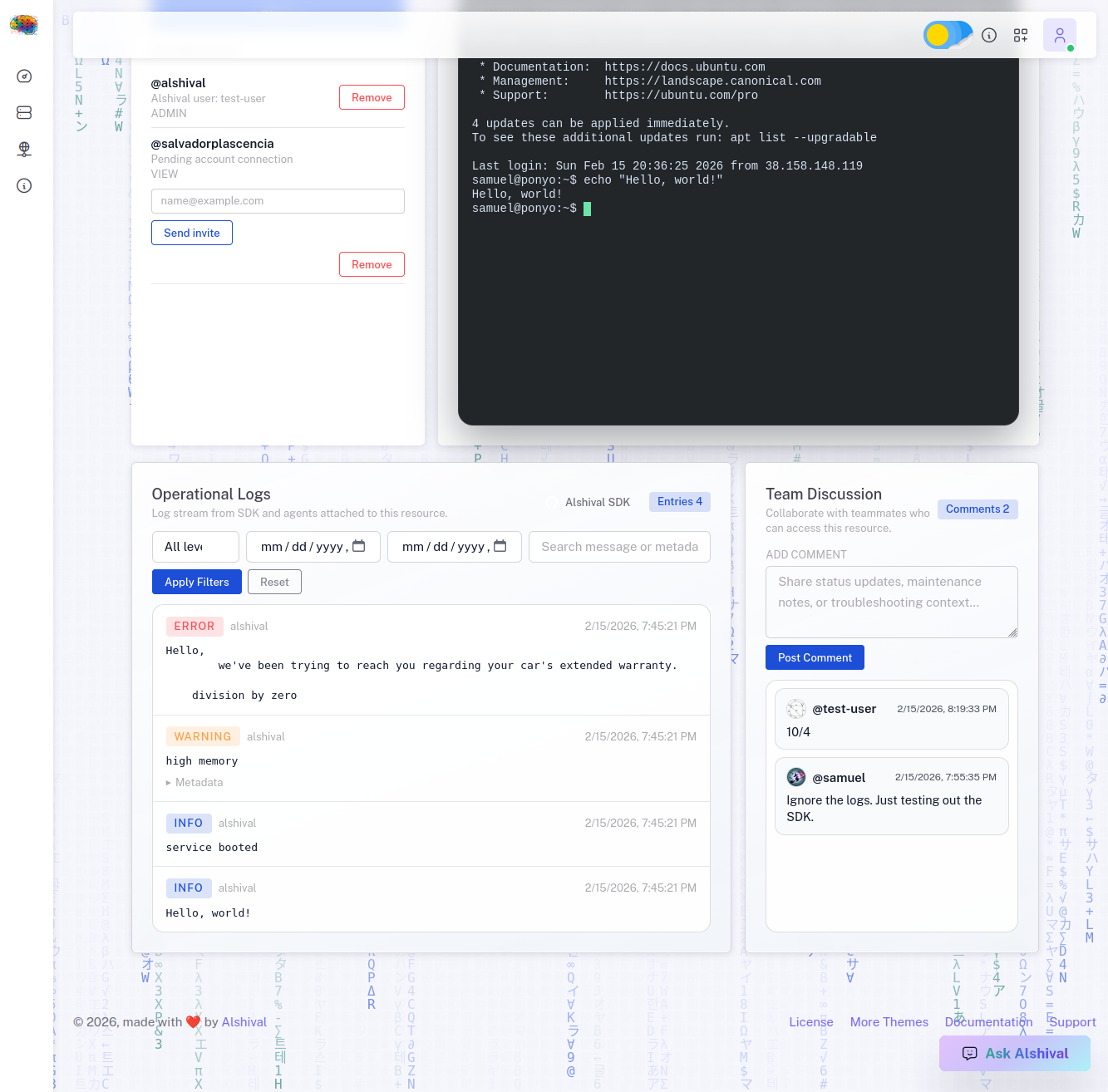
Each resource includes a dedicated workspace where your team can review health, inspect logs, add comments, and SSH into configured hosts.
## Python SDK Logging
DevTools includes a Python SDK so teams can integrate quickly. At minimum, set:
- `ALSHIVAL_USERNAME`
- `ALSHIVAL_API_KEY`
- `ALSHIVAL_RESOURCE_ID`
Then send logs with simple calls:
You can also attach the SDK handler to your existing Python logging stack for production-friendly adoption.
SDK repository:
- [https://github.com/Alshival-Ai/alshival](https://github.com/Alshival-Ai/alshival)
Logs sent through the SDK appear in DevTools for your team and for Alshival-assisted investigation.
## In Development: Self-Deployed Alshival
We are actively building a self-deployed version of Alshival for DevTools subscribers. This is aimed at teams operating inside private networks that cannot expose operational data to public infrastructure.
### What This Unlocks
- Private-network monitoring with your own deployment boundary
- Stronger data residency and network control
- Integration paths for regulated environments
### Healthcare and HIPAA-Oriented Environments
For organizations handling PHI, self-deployed Alshival is being designed to support stricter compliance postures.
# Coming Soon: Alshival.Cloud Raspberry Pi Rentals
[**Alshival.Cloud**](https://alshival.cloud) is our Raspberry Pi rental platform built for rapid prototyping and hands-on experimentation.
We originally built it for our own internal workflow. We iterate quickly, and traditional cloud dev servers can add up fast. With Alshival.Cloud, the target is to offer a full 16GB Raspberry Pi at a significantly lower monthly cost than typical VM options.
Through DevTools, our team can reserve Pis, connect them to project workflows, and monitor them as first-class resources.
To run this platform, we built internal cluster tooling for network and infrastructure operations. Alshival is integrated into that workflow to help automate common operational tasks.
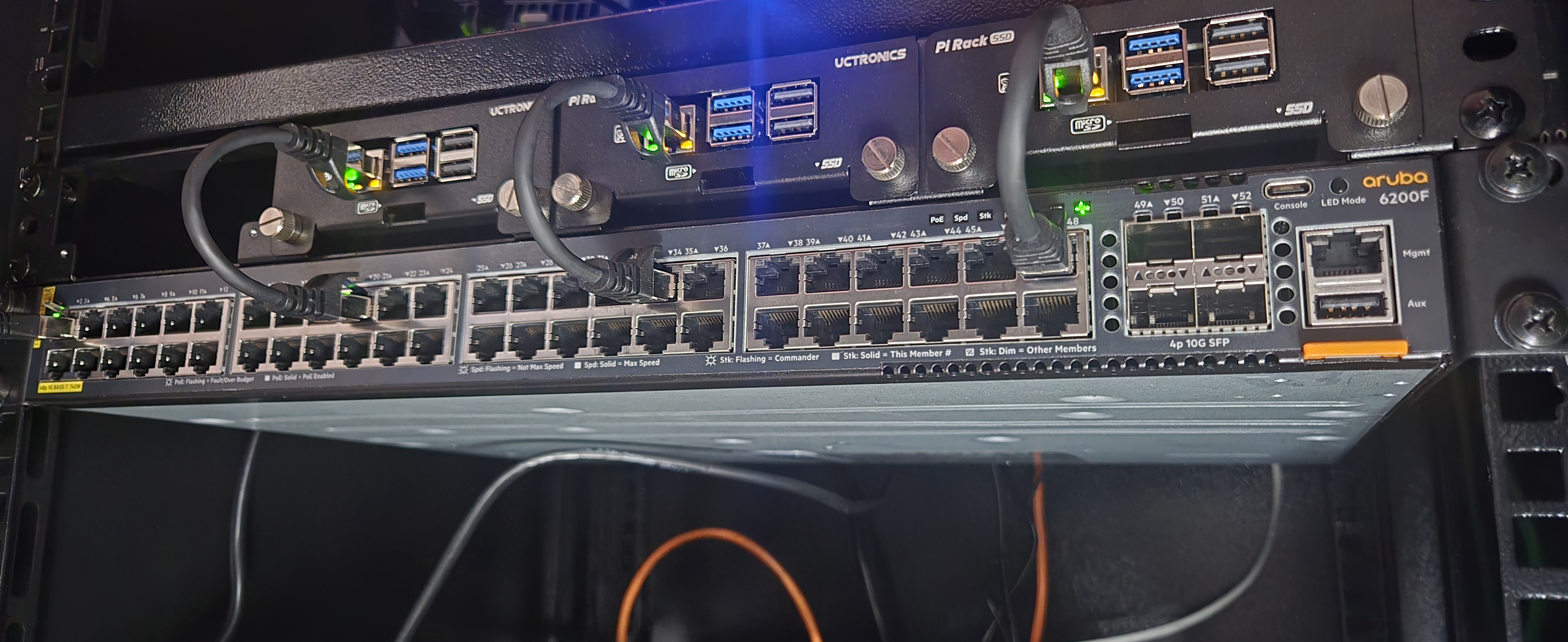
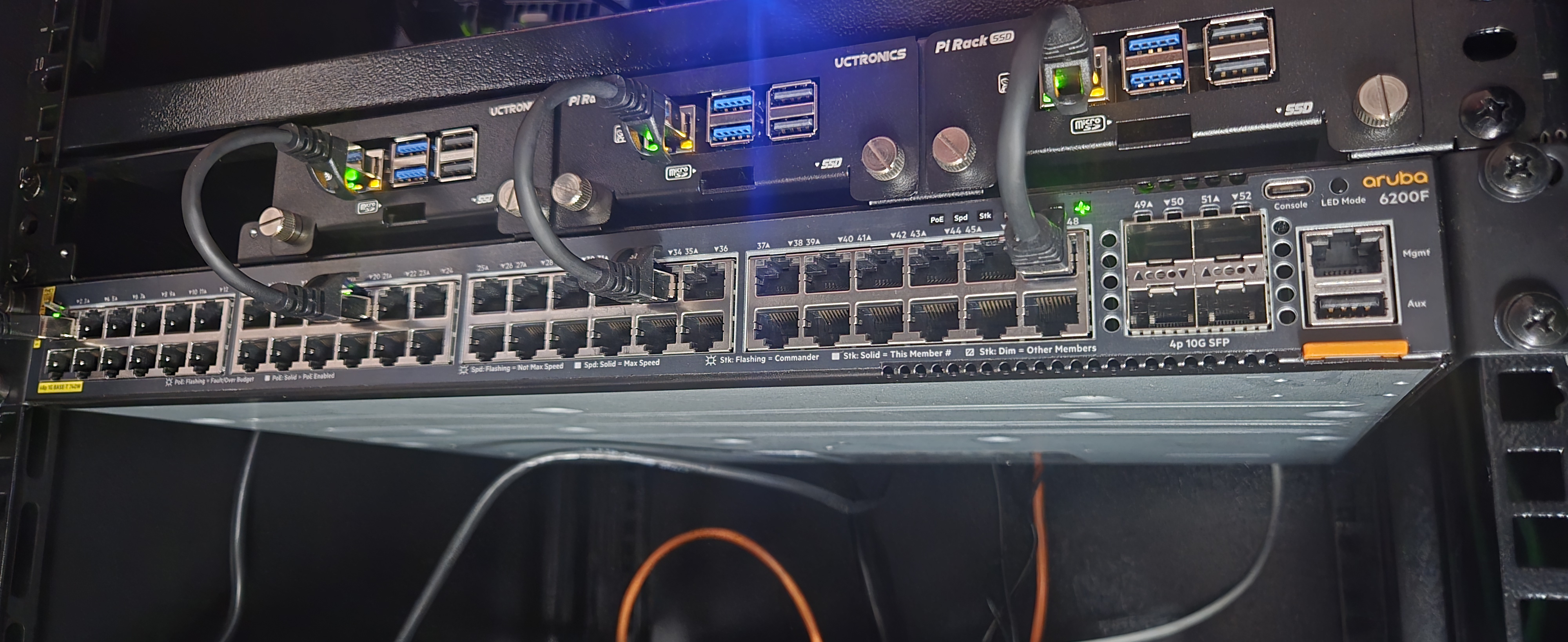
I took this photo of our refurbished Aruba switch while working on our internal Switch Manager.
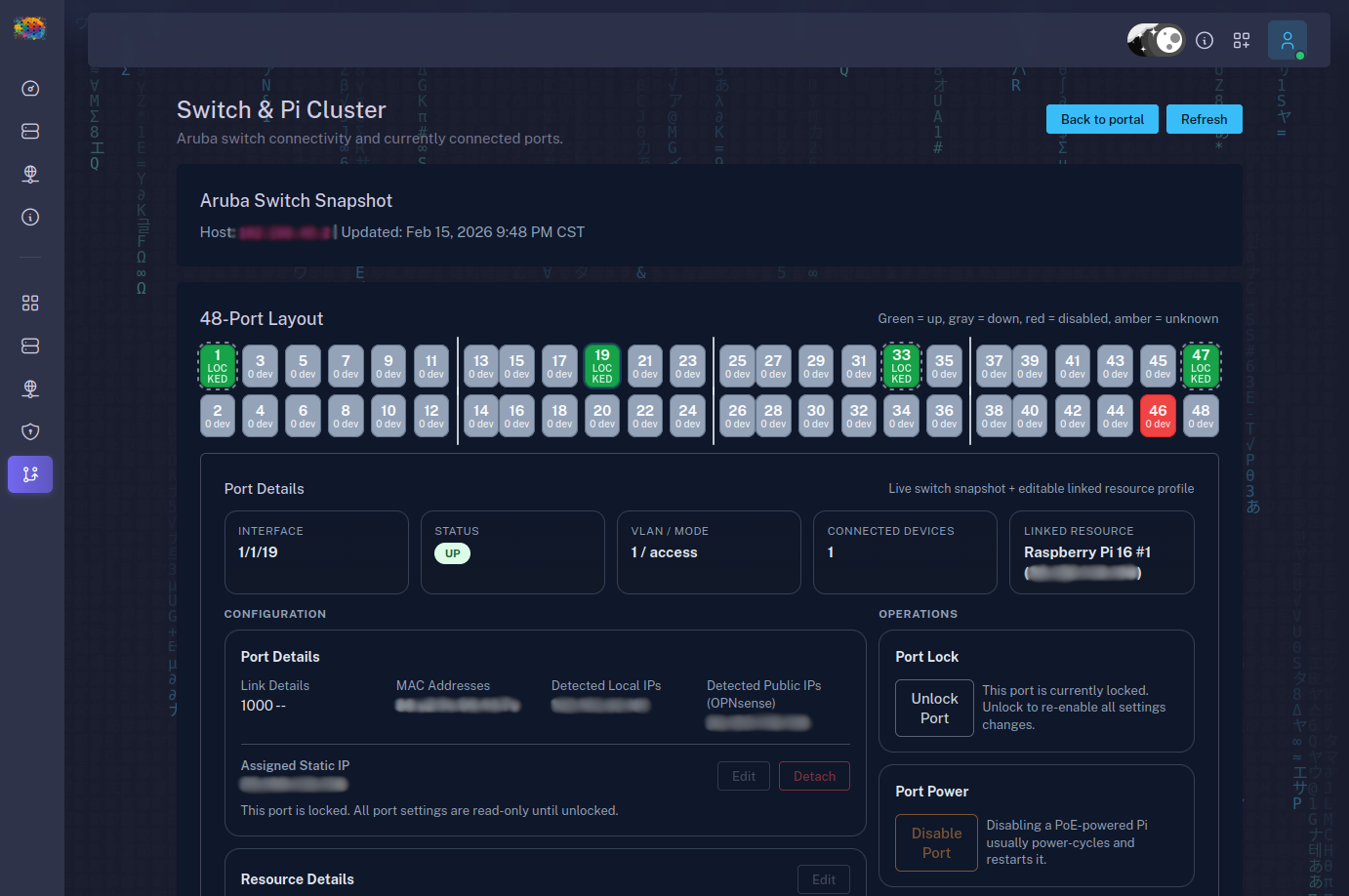
We also built tools to manage our Raspberry Pi fleet, including static IP assignment and remote re-imaging. The screenshot below shows active ports in our Switch Manager.
# Getting Started
1. Subscribe to DevTools
2. Add your first resource
3. Create an API key in Account Settings
4. Connect SDK logging to that resource
5. Configure resource sharing for your team
6. Use Alshival to monitor, summarize, and triage incidents
DevTools is how our team at Alshival keeps engineering work moving when systems get noisy. We monitor critical resources, centralize logs, and route alerts to the channels where teams already work. When incidents happen, Alshival helps us search logs, summarize what changed, and respond faster.

You can work with Alshival through the web app, SMS, and team channels like Discord and Slack. The goal is simple: reduce context switching and make operational response faster.
## Everything Starts With a Resource
In DevTools, everything revolves around a **resource**. A resource can represent:
- A virtual machine or host
- A service endpoint
- A database
- An API dependency
- Any runtime target your team needs visibility into
Each resource has its own health status, configuration, activity history, and sharing controls. You can share resources with teammates using role-based access so collaboration stays fast without losing control over sensitive actions.
## Resource Workspace
Each resource includes a dedicated workspace where your team can review health, inspect logs, add comments, and SSH into configured hosts.


## Python SDK Logging
DevTools includes a Python SDK so teams can integrate quickly. At minimum, set:
- `ALSHIVAL_USERNAME`
- `ALSHIVAL_API_KEY`
- `ALSHIVAL_RESOURCE_ID`
Then send logs with simple calls:
import alshival

alshival.log.info('service booted')
alshival.log.warning('high memory', extra={'host': 'pi-03', 'mem_pct': 91})
You can also attach the SDK handler to your existing Python logging stack for production-friendly adoption.
SDK repository:
- [https://github.com/Alshival-Ai/alshival](https://github.com/Alshival-Ai/alshival)
Logs sent through the SDK appear in DevTools for your team and for Alshival-assisted investigation.

## In Development: Self-Deployed Alshival
We are actively building a self-deployed version of Alshival for DevTools subscribers. This is aimed at teams operating inside private networks that cannot expose operational data to public infrastructure.
### What This Unlocks
- Private-network monitoring with your own deployment boundary
- Stronger data residency and network control
- Integration paths for regulated environments
### Healthcare and HIPAA-Oriented Environments
For organizations handling PHI, self-deployed Alshival is being designed to support stricter compliance postures.
# Coming Soon: Alshival.Cloud Raspberry Pi Rentals
[**Alshival.Cloud**](https://alshival.cloud) is our Raspberry Pi rental platform built for rapid prototyping and hands-on experimentation.
We originally built it for our own internal workflow. We iterate quickly, and traditional cloud dev servers can add up fast. With Alshival.Cloud, the target is to offer a full 16GB Raspberry Pi at a significantly lower monthly cost than typical VM options.
Through DevTools, our team can reserve Pis, connect them to project workflows, and monitor them as first-class resources.
To run this platform, we built internal cluster tooling for network and infrastructure operations. Alshival is integrated into that workflow to help automate common operational tasks.
I took this photo of our refurbished Aruba switch while working on our internal Switch Manager.

We also built tools to manage our Raspberry Pi fleet, including static IP assignment and remote re-imaging. The screenshot below shows active ports in our Switch Manager.

# Getting Started
1. Subscribe to DevTools
2. Add your first resource
3. Create an API key in Account Settings
4. Connect SDK logging to that resource
5. Configure resource sharing for your team
6. Use Alshival to monitor, summarize, and triage incidents